
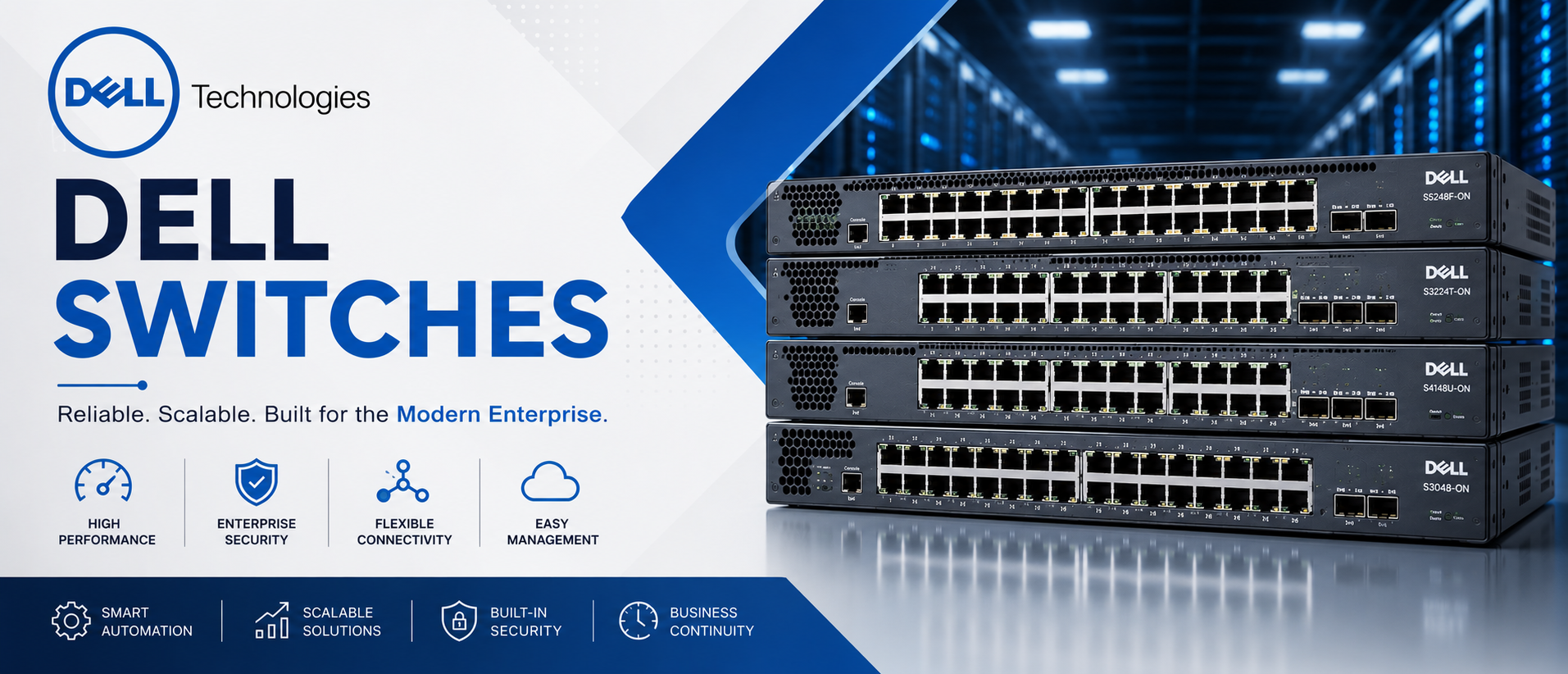
Dell Switches: The Complete Dell PowerSwitch Range for Enterprise Networks
Every network is only as strong as the switches carrying its traffic — and for organizations across the UAE, Saudi Arabia, the wider GCC, and Africa, Dell PowerSwitch has become the switch of choice for teams that want performance without vendor lock-in.
Netseg supplies the full Dell PowerSwitch lineup, from compact campus access switches for a 20-person branch office to 100GbE and 400GbE-ready spine switches for hyperscale data centers and AI infrastructure. Whether you’re refreshing a tired stack of aging switches, building a new leaf-spine fabric, or standardizing your network operating system across sites, this page will help you understand exactly which Dell switch fits your environment — and why.
Why source Dell switches through Netseg:
- Genuine, factory-sealed Dell PowerSwitch hardware with full manufacturer warranty
- Competitive, transparent pricing for single units and large enterprise rollouts
- Same-day quotations for standard configurations
- Regional logistics across the UAE, Saudi Arabia, GCC, and Africa, plus worldwide shipping
- Pre-sales design support from engineers who actually configure these switches
- After-sales technical support, not just a shipping confirmation
If you already know which model you need, jump to our product comparison table. If you’re still deciding, the buying guide further down will walk you through it step by step.
What Are Dell Switches?
Dell switches — officially branded Dell PowerSwitch — are enterprise-grade Ethernet switches built for three broad environments: campus networks, branch offices, and data centers. They range from simple unmanaged access switches to fully programmable, disaggregated data center switches running open networking operating systems.
Unlike traditional vendor switches that lock you into a single operating system, most current Dell PowerSwitch hardware is built on an Open Networking (ON) foundation. That means the switch hardware — the ASIC, the ports, the chassis — is decoupled from the software running on top of it. Customers can run Dell’s own SmartFabric OS10, or in supported deployments, alternative network operating systems including Enterprise SONiC, depending on the use case.
The core segments of the Dell PowerSwitch portfolio:
- Campus networking — access and distribution switches for offices, schools, hospitals, hotels, and branch sites (the N-Series)
- Data center networking — top-of-rack, aggregation, and spine switches built for leaf-spine fabrics and high-throughput workloads (the S-Series and Z-Series)
- Open networking software — SmartFabric OS10, a single, consistent operating system that spans the campus and data center families, with Enterprise SONiC available for organizations that want community-driven, cloud-scale networking software
- Automation and telemetry — REST APIs, Ansible integration, Zero Touch Deployment, and streaming telemetry built in rather than bolted on
The result is a portfolio where a network engineer who learns OS10 on a campus switch can apply almost the same command set and automation scripts to a data center spine switch. That consistency is one of the more underrated reasons enterprise IT teams standardize on Dell.
Why Businesses Choose Dell PowerSwitch?
Dell didn’t build its networking division by competing purely on price — although the total cost of ownership argument is real and we’ll get into it. Businesses that switch to Dell (or start with Dell) tend to cite a handful of recurring reasons.
Performance that scales with the business. From gigabit access ports to 100GbE and 400GbE-capable spine switches, the PowerSwitch range covers everything from a five-person office to an AI training cluster, without forcing a redesign every time the business grows.
Reliability engineers can plan around. Redundant, hot-swappable power supplies, stacking for access-layer resilience, and VLT (Virtual Link Trunking) for loop-free, active-active data center uplinks are standard architectural options across most of the range — not premium add-ons reserved for the most expensive models.
Open networking instead of lock-in. Because the hardware and software are disaggregated, IT teams have more control over their networking roadmap. You’re not stuck waiting on a single vendor’s release cycle for a feature you need, and you have a credible path to alternative operating systems if your strategy changes.
Automation that actually gets used. REST APIs and native Ansible modules mean provisioning a new switch — or a hundred new switches — doesn’t have to be a manual, error-prone process. Zero Touch Deployment lets a switch pull its configuration automatically the moment it’s racked and cabled.
Security built into the switching layer. MACsec line-rate encryption, granular ACLs, and port security features let organizations enforce compliance requirements (a real consideration for banks, government entities, and healthcare providers in this region) at the network edge, not just at the firewall.
Lower total cost of ownership. Open networking licensing tends to be more straightforward than legacy vendor models, and the ability to mix operating systems means you’re not paying a premium purely for the badge on the switch.
Future-ready infrastructure. With PoE+ and 802.3bt PoE for access switches, and 25/40/100GbE (with 400GbE emerging in the newest spine hardware) for data center switches, the current PowerSwitch range is built for Wi-Fi 6/6E access points, IP cameras, AI workloads, and the bandwidth demands that are still a few years out.
Key Features Explained
SmartFabric OS10
SmartFabric OS10 is Dell’s disaggregated network operating system. It runs across almost the entire current PowerSwitch range — campus and data center alike — which means one operating system, one command syntax, and one automation framework across the whole network. OS10 supports standard Layer 2 and Layer 3 protocols, VXLAN/EVPN for data center fabrics, and a full REST API for programmatic control.
Open Networking
“Open Networking” (the “-ON” in many Dell model names) refers to switches built on merchant silicon with a standardized boot loader (ONIE), allowing the switch to run Dell’s own OS10 or, on supported hardware, third-party network operating systems. This is a meaningful difference from closed-platform switches, where the hardware is only ever certified for one vendor’s software.
Enterprise SONiC
SONiC (Software for Open Networking in the Cloud) started as a hyperscaler-driven, open-source network operating system. Dell offers an enterprise-supported distribution of SONiC on qualifying PowerSwitch hardware for organizations that want the flexibility of the open-source community model backed by commercial support — a common choice for data center operators building cloud-style, automation-first fabrics.
VXLAN and EVPN
VXLAN (Virtual Extensible LAN) lets a data center stretch Layer 2 segments across a Layer 3 fabric, which is essential for modern leaf-spine designs and workload mobility. EVPN (Ethernet VPN) is the control plane that makes VXLAN scalable and standards-based rather than relying on flood-and-learn behavior. Together, they’re the backbone of most modern Dell data center fabric designs.
VLT and MLAG
VLT (Virtual Link Trunking) is Dell’s implementation of multi-chassis link aggregation, letting two physical switches act as one logical switch from a downstream device’s perspective — active-active, with no wasted standby links and fast failover. MLAG (Multi-Chassis Link Aggregation) is the broader industry term for the same architectural pattern. This is what allows a leaf switch pair, or a core switch pair, to lose one unit without taking the network down.
Layer 2 and Layer 3 Switching
Layer 2 switching (VLANs, spanning tree, link aggregation) is standard across virtually every PowerSwitch model. Layer 3 routing — static routes, and in many models full dynamic routing — is where the range splits: entry-level access switches are typically Layer 2 or Layer 2/3-lite, while distribution, core, and data center models support full Layer 3 routing including BGP and OSPF.
BGP and OSPF
BGP (Border Gateway Protocol) is the routing protocol underpinning most modern data center leaf-spine designs, prized for its predictability at scale. OSPF (Open Shortest Path First) remains widely used for campus core and distribution routing. Dell’s Layer 3-capable switches support both, letting network architects choose the protocol that fits their existing design rather than being forced into one model.
IPv6
Full IPv6 support — addressing, routing, and management — is standard across Dell’s current Layer 3 switch families, which matters increasingly for government and telecom deployments in the region where IPv6 adoption timelines are firming up.
QoS and ACL
Quality of Service (QoS) lets network teams prioritize latency-sensitive traffic — voice, video conferencing, and increasingly AI inference traffic — over best-effort data. Access Control Lists (ACLs) provide granular traffic filtering at the switch port, VLAN, or routed interface level, which is a core building block for network segmentation and compliance.
MACsec
MACsec (Media Access Control Security) encrypts traffic at line rate between two directly connected devices — switch to switch, or switch to server — protecting data even if someone gains physical access to the cabling. This is increasingly requested by financial institutions and government entities handling sensitive data.
PoE and PoE+
Power over Ethernet (PoE, up to 30W per port) and PoE+ (up to 60W, with newer 802.3bt-capable switches supporting up to roughly 90W) let access switches power IP phones, wireless access points, IP cameras, and increasingly IoT sensors and digital signage directly over the network cable — no separate electrical run required.
High Availability
Redundant power supplies, hot-swappable fans, stacking, and VLT all contribute to high availability designs where a single component failure doesn’t translate into network downtime — a non-negotiable requirement for hospitals, data centers, and financial trading floors.
Zero Touch Deployment
Zero Touch Deployment (ZTD) lets a freshly racked switch reach out to a provisioning server the moment it’s powered on and cabled, automatically pulling its configuration and firmware. For organizations rolling out dozens or hundreds of branch switches — a common scenario for retail chains and hospitality groups in this region — ZTD collapses what used to be a multi-day rollout into a same-day one.
REST APIs and Ansible Automation
Native REST APIs expose switch configuration and telemetry programmatically, and Dell provides Ansible modules specifically for OS10, letting network teams manage switch configuration as code — version-controlled, peer-reviewed, and repeatable — rather than as a collection of manually typed CLI sessions.
Telemetry
Streaming telemetry pushes real-time operational data (interface counters, buffer utilization, environmental sensors) out of the switch continuously, rather than requiring an engineer to poll it manually. This is what feeds modern network monitoring and AIOps platforms, and it’s increasingly relevant as AI training and inference fabrics demand tighter visibility into microsecond-level congestion.
Dell PowerSwitch Product Families
Dell organizes its switching portfolio into three main families: N-Series (campus), S-Series (data center and aggregation), and Z-Series (data center spine and core). Here’s how the models referenced most often by our customers compare.
| Series | Best For | Layer (Access/Core/Data Center) | Typical Port Speed | PoE Support | Layer 3 Routing | Stacking | Operating System | Ideal Business Size |
|---|---|---|---|---|---|---|---|---|
| N1100 Series | Small offices, retail branches | Access | 1GbE | PoE/PoE+ on select models | Basic (static) | Limited/No | OS6 | Small business (5–50 users) |
| N1500 Series | Growing offices, branch aggregation | Access/Distribution | 1GbE + 10GbE uplinks | PoE+ | Basic Layer 3 | Yes | OS6 | SMB to mid-market |
| N2200 Series | Modern campus edge, IoT/AP-dense environments | Access | 2.5GbE + 25GbE uplinks | 802.3bt PoE (up to ~90W) | Basic Layer 3 | Yes | OS6 | SMB to mid-market |
| N3200 Series | Full campus distribution/core | Distribution/Core | 1/10GbE + 100GbE uplinks | 802.3bt PoE | Full Layer 3 (OSPF, BGP) | Yes (VLT) | OS6/OS10 | Mid-market to enterprise |
| N4000 Series | Large campus core, multi-building sites | Core | 10/25/40GbE | Select models | Full Layer 3 | Yes | OS10 | Enterprise |
| S3100 Series | Small data center / server room ToR | Access (Data Center) | 1/10GbE | Select models | Layer 2/3 | Yes | OS10 | SMB data center |
| S4100 Series | Data center top-of-rack | Access (Data Center) | 10/25GbE + 100GbE uplinks | No | Full Layer 3 (BGP, OSPF, VXLAN) | VLT | OS10 | Mid-market to enterprise |
| S5200 Series | ToR and leaf switching for cloud-scale data centers | Leaf/ToR | 25GbE + 100GbE | No | Full Layer 3, VXLAN/EVPN | VLT | OS10 | Enterprise / data center |
| S5400 Series | High-density leaf with 400GbE uplinks | Leaf/ToR | 25/100GbE + 400GbE uplinks | No | Full Layer 3, VXLAN/EVPN | VLT | OS10 | Enterprise / hyperscale-adjacent |
| S6100 Series | Modular, flexible high-bandwidth data center switching | Leaf/Aggregation | 10/40/100GbE (modular) | No | Full Layer 3, VXLAN/EVPN | VLT | OS10 | Large enterprise / service provider |
| Z9100 Series | Data center spine, leaf-spine fabrics | Spine/Core | 10/25/40/50/100GbE | No | Full Layer 3, BGP EVPN | VLT | OS10 | Enterprise data center |
| Z9432F-ON | High-density AI/cloud spine, next-gen fabrics | Spine/Core | 100/400GbE | No | Full Layer 3, BGP EVPN | VLT | OS10 / Enterprise SONiC | Hyperscale-adjacent, AI infrastructure |
Quick read on the table: if you’re outfitting an office or branch, you’re almost certainly in N-Series territory. If you’re building or refreshing a server room or data hall, you’re looking at S-Series for the leaf/ToR layer and Z-Series if you need a dedicated spine layer for a leaf-spine fabric.
Industries That Use Dell Switches
Dell PowerSwitch is deployed across nearly every vertical we work with in the UAE, Saudi Arabia, and wider GCC/Africa markets:
- Government — segmented, MACsec-secured networks for public sector data handling and citizen services
- Healthcare — PoE-powered nurse call systems, patient monitors, and Wi-Fi infrastructure with strict uptime requirements
- Education — cost-effective campus access switching for schools and universities managing thousands of student devices
- Banking & Financial Institutions — segmented, high-availability networks with ACL and MACsec-driven compliance controls
- Hospitality — PoE for guest Wi-Fi access points, IoT room controls, and property-wide network stacks that need Zero Touch Deployment for fast hotel rollouts
- Manufacturing — ruggedized, PoE-capable access switching for industrial IoT and OT/IT convergence
- Warehousing & Logistics — wireless-dense environments for barcode scanning, RFID, and automation systems
- Retail — multi-site branch networks standardized on Zero Touch Deployment for fast store openings
- Oil & Gas — high-availability, secure networking for control rooms and remote facility connectivity
- Telecommunications — high-throughput aggregation and core switching for service provider networks
- Data Centers — leaf-spine fabrics built on S-Series and Z-Series switches with VXLAN/EVPN
- AI Infrastructure — high-bandwidth, low-latency spine switching (Z9432F-ON class hardware) for GPU cluster interconnects
Dell vs Cisco Switches
Cisco remains the incumbent in many regional networks, so this comparison comes up often.
| Factor | Dell PowerSwitch | Cisco Catalyst/Nexus |
|---|---|---|
| Performance | Strong across campus and data center tiers; data center models built on the same merchant silicon many competitors use | Strong, broad portfolio with deep feature depth, particularly in security and SD-Access |
| Security | MACsec, ACLs, port security standard on most models | Extensive security ecosystem (ISE, TrustSec) but often licensed separately |
| Automation | Native REST API and Ansible support built into OS10 | DNA Center and Catalyst Center offer polished automation, typically at additional licensing cost |
| Operating System | SmartFabric OS10 (consistent across ranges), Enterprise SONiC option | IOS-XE / NX-OS, mature but historically less open |
| Licensing | Simpler, often perpetual licensing model on core features | Increasingly subscription/DNA-license-driven |
| Cloud Management | OS10-based telemetry and third-party integrations | Meraki dashboard (cloud-managed) is a genuine strength for distributed sites |
| Scalability | Scales from small office to hyperscale-adjacent AI fabric | Scales similarly, with a longer track record in very large enterprise campus deployments |
| Total Cost of Ownership | Generally lower acquisition and licensing cost | Often higher due to licensing tiers and support contracts |
Bottom line: Cisco’s ecosystem depth (especially Meraki cloud management and TrustSec) is real, and organizations already standardized on Cisco identity and access tooling may find switching costly. But for organizations prioritizing open networking, simpler licensing, and lower TCO — without giving up enterprise-grade Layer 3 and automation — Dell PowerSwitch is a credible, increasingly common alternative.
Dell vs Juniper Switches
Juniper is well regarded for its Junos operating system and strong data center/service provider heritage.
- Performance: Both vendors compete closely at the data center tier; Juniper’s QFX series and Dell’s S/Z-Series both target leaf-spine fabrics with comparable throughput classes.
- Operating System: Junos has a loyal following for its single, consistent CLI across the Juniper range — similar in spirit to how OS10 spans Dell’s campus and data center lines.
- Automation: Juniper’s Apstra platform is a genuine differentiator for intent-based data center automation; Dell counters with native OS10 automation and SmartFabric Services, which cover similar ground with a different toolset.
- Licensing: Juniper’s licensing has moved toward subscription models in places; Dell’s open networking approach tends to keep licensing more straightforward.
- Best fit: Juniper often wins on very large service-provider and campus-security-driven (Mist AI) deployments; Dell tends to win on cost-conscious enterprise and data center refreshes that still want strong Layer 3 and automation.
Dell vs Aruba Switches
Aruba (HPE) is a strong competitor particularly in campus and wireless-integrated environments.
- Performance: Comparable at the access and aggregation layer; Aruba’s CX switches are well regarded for campus deployments tightly integrated with Aruba wireless.
- Security: Aruba’s ClearPass and Dynamic Segmentation are strong, identity-driven security tools; Dell relies more on standard ACL/MACsec/port security rather than a dedicated NAC ecosystem, so organizations wanting deep NAC integration may lean Aruba.
- Automation: Aruba Central offers strong cloud-based management, especially for distributed retail and branch networks; Dell’s automation story is more CLI/API/Ansible-centric, which suits teams that prefer infrastructure-as-code over a GUI dashboard.
- Cloud Management: Aruba Central is arguably more turnkey for non-networking-specialist IT teams; Dell requires slightly more networking expertise to unlock its automation capabilities.
- Best fit: Aruba often suits organizations prioritizing tightly integrated wired/wireless management with strong NAC; Dell often suits organizations with in-house networking expertise who want open networking flexibility and lower licensing overhead, especially at the data center tier where Aruba has less presence.
Dell vs Huawei Switches
Huawei has a meaningful footprint in parts of the Middle East and Africa, so a fair comparison matters here.
- Performance: Both vendors offer competitive data center switching; Huawei’s CloudEngine series is a direct competitor to Dell’s S/Z-Series at similar throughput tiers.
- Security: Both offer standard enterprise security feature sets; procurement teams in government and financial sectors should evaluate country-specific compliance and supply-chain requirements independently, as these vary by jurisdiction and organization.
- Automation: Huawei’s iMaster NCE is a capable automation platform; Dell’s OS10 automation stack is comparably capable but built around more widely adopted open standards (REST, Ansible) rather than a single proprietary controller.
- Open Networking: This is a clear differentiator — Dell’s disaggregated, Open Networking approach (ONIE-based, multi-OS-capable hardware) contrasts with Huawei’s more vertically integrated model.
- Total Cost of Ownership: Pricing is competitive on both sides depending on region and volume; procurement teams should request formal quotations for accurate comparison, as list pricing rarely reflects real-world enterprise deals.
We remain neutral here — the right choice depends on your existing vendor relationships, compliance requirements, and in-house expertise. If open networking flexibility and a straightforward licensing model matter to your organization, Dell is worth serious evaluation.
How to Choose the Right Dell Switch?
A practical, question-by-question framework for narrowing down the right model:
1. How many users or devices need to connect? Under 50 users typically points to N1100 or N1500. Mid-sized offices (50–250 users) often land on N2200 or N3200. Larger campuses or multi-building sites should look at N3200/N4000 for the core.
2. Is this an access-layer switch or a core/distribution switch? Access switches need enough ports and PoE budget for end devices. Core/distribution switches need Layer 3 routing, higher-speed uplinks, and redundancy (VLT/stacking) since they carry aggregated traffic from multiple access switches.
3. Do you need PoE, and how much power per port? Standard IP phones and older access points need PoE/PoE+ (up to 30W). Wi-Fi 6/6E access points, PTZ cameras, and digital signage increasingly need 802.3bt PoE (up to ~90W) — check the device’s power draw before choosing a switch.
4. What fiber uplink capacity do you need between switches or to the core? Small sites are fine with 1GbE or 10GbE uplinks. Larger campuses and data centers should plan for 25GbE, 40GbE, or 100GbE uplinks to avoid the uplink becoming the bottleneck as access-layer speeds increase.
5. Do you need 10G, 25G, or 100G at the server-facing layer? This is purely a data center question. Standard virtualized server environments are commonly served well by 10/25GbE ToR switches (S3100/S4100). High-throughput storage, AI training clusters, and hyperscale-adjacent environments need 100GbE+ (S5200/S5400/Z-Series).
6. Are you planning AI workloads? AI training and inference traffic is bursty, latency-sensitive, and bandwidth-hungry. This typically calls for a dedicated leaf-spine design using S5200/S5400-class leaf switches and Z9432F-ON-class spine switches, purpose-built for low-latency, high-bandwidth fabrics.
7. Is this a greenfield data center deployment or a campus network? Data center deployments should be planned as a leaf-spine fabric from day one (even a small one) rather than a flat network, since retrofitting VXLAN/EVPN later is far more disruptive than designing for it upfront.
8. How much room do you need for future expansion? Buy one tier above your current requirement where budget allows. Stackable access switches and modular data center switches both make phased expansion easier than a hard forklift upgrade later.
9. What’s the budget, and is bulk/multi-site pricing relevant? Multi-site retail, hospitality, and education deployments should always request volume pricing — the discount curve on enterprise switch hardware is real, and Netseg can quote bulk orders directly.
10. What level of redundancy does this environment require? Hospitals, financial institutions, and data centers should default to redundant power supplies and VLT/stacking at every tier. A branch office with a single internet connection may not need the same level of redundancy at the access layer.
Why Buy Dell Switches from Netseg?
Buying enterprise networking hardware isn’t like buying a commodity IT product — the source matters.
- Genuine products — every switch we supply is authentic Dell PowerSwitch hardware with full manufacturer warranty coverage, not gray-market or refurbished stock sold as new.
- Competitive pricing — we work directly with distribution to keep pricing sharp for both single-unit purchases and enterprise-scale rollouts.
- Fast quotations — send us your requirement and get a formal quotation quickly, not after a week of back-and-forth.
- Worldwide shipping — based in the region, shipping regionally and globally, with logistics experience across the UAE, Saudi Arabia, GCC, and Africa.
- Enterprise support — our team includes engineers who actually configure Dell switches, not just a sales desk reading a spec sheet.
- Bulk discounts — meaningful volume pricing for multi-site retail, hospitality, education, and enterprise rollouts.
- Technical consultation — free pre-sales guidance to make sure you’re quoting the right model, port count, and PoE budget the first time.
- Pre-sales and after-sales support — help before the purchase to get the design right, and help after the purchase if you need configuration guidance or troubleshooting.
- Global logistics — reliable import/export handling for cross-border enterprise projects.
Whether you need one switch for a small office or a complete leaf-spine fabric for a new data hall, our team can put together a configuration and a quotation that matches your actual requirement — not just the nearest catalog item.
