
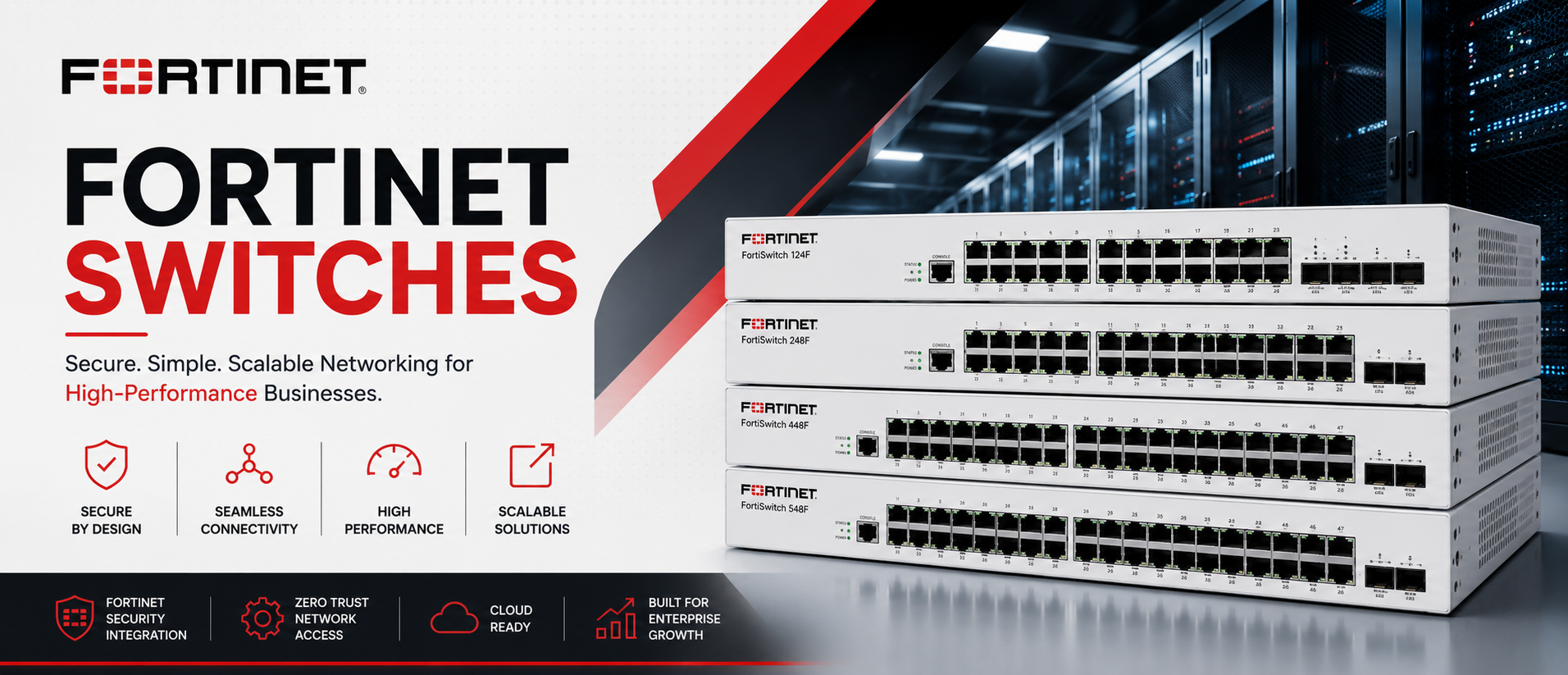
Fortinet Switches: The Complete FortiSwitch Range for Secure Enterprise Networks
Most switch vendors sell you a switch. Fortinet sells you a switch that already knows how to talk to your firewall.
That’s the single biggest reason enterprise IT teams across the UAE, Saudi Arabia, the wider GCC, and Africa are moving toward Fortinet Switches — branded FortiSwitch — instead of treating switching and security as two separate purchasing decisions. When a FortiSwitch connects to a FortiGate firewall, it stops being a dumb Layer 2 box and becomes part of a single, centrally managed security and networking fabric.
Netseg supplies the full FortiSwitch range, from compact 100 Series access switches for a small branch office to 3000 Series campus core and data center switches built for large, security-conscious enterprises. Whether you’re deploying your first FortiGate-managed network or scaling out FortiSwitch across dozens of sites, this page will help you understand exactly which model fits your environment — and why FortiSwitch keeps showing up on shortlists for organizations that treat network security as a design requirement, not an afterthought.
Why source Fortinet Switches through Netseg:
- Genuine, factory-sealed FortiSwitch hardware with full manufacturer warranty
- Competitive, transparent pricing for single units and enterprise-wide rollouts
- Same-day quotations for standard configurations
- Regional logistics across the UAE, Saudi Arabia, GCC, and Africa, plus worldwide shipping
- Pre-sales design support from engineers who understand FortiLink and Security Fabric architecture, not just a spec sheet
- After-sales technical support, not just an invoice
If you already know which model you need, jump to our product comparison table. If you’re still deciding, the buying guide further down will walk you through it step by step.
What Are Fortinet Switches?
Fortinet Switches — branded FortiSwitch — are enterprise Ethernet switches designed from the ground up to operate as an extension of a FortiGate firewall rather than as a standalone networking device. They cover campus access, branch networking, and data center switching, but their defining characteristic is how tightly they integrate into Fortinet’s broader security architecture.
The core building blocks of the FortiSwitch approach:
- Campus and branch networking — access-layer switches (100, 200, 400, 600 Series) that connect end-user devices, access points, and IoT hardware
- Campus core and data center networking — higher-density, higher-throughput switches (1000, 2000, 3000 Series) for aggregation, core, and data center use
- Ruggedized networking — the Rugged Series, built for harsh environments like manufacturing floors, warehouses, and outdoor cabinets
- FortiLink — Fortinet’s proprietary switch management protocol that lets a FortiGate firewall directly control and manage connected FortiSwitches as if they were firewall interfaces
- Fortinet Security Fabric — the broader architecture connecting FortiGate, FortiSwitch, FortiAP (wireless), FortiAnalyzer, and FortiManager into one visibility and policy framework
- FortiSwitch Manager and FortiEdge Cloud — centralized, and cloud-based, management options for organizations running FortiSwitch at scale across many sites
The practical result: a network engineer configuring VLANs, port security, or 802.1X authentication on a FortiSwitch is very often doing it from the FortiGate’s own management interface — one login, one policy engine, one place to look when something needs troubleshooting.
Why Businesses Choose Fortinet Switches?
Fortinet’s switching business has grown steadily for one central reason: it removes the seam between “the network” and “the security policy” that exists in most other vendor stacks.
Performance built for real enterprise traffic. FortiSwitch models scale from gigabit access ports to 100GbE-capable data center switching, covering everything from a ten-person branch to a large campus core.
Security that’s integrated, not bolted on. Because FortiSwitch is designed to be managed by FortiGate, security policies — segmentation, access control, threat intelligence — can be applied consistently from the firewall down to the access port, rather than maintained as two separate rule sets in two separate consoles.
Simplified management. FortiLink lets a single FortiGate manage multiple connected switches as one logical system. For IT teams without a dedicated networking specialist on staff, this single-pane-of-glass model meaningfully reduces operational complexity.
Scalability across FortiSwitch Manager and FortiEdge Cloud. As deployments grow beyond what a single FortiGate can practically manage, FortiSwitch Manager (on-prem/VM) and FortiEdge Cloud (cloud-hosted) extend the same centralized model across dozens or hundreds of sites.
High availability where it matters. MCLAG (Multi-Chassis Link Aggregation) and redundant power options are available across much of the range, supporting resilient designs for organizations that can’t tolerate access-layer downtime.
Automation and Zero Touch Provisioning. New switches can be provisioned automatically once connected to a FortiLink-enabled FortiGate, reducing manual configuration time for multi-site rollouts.
Lower total cost of ownership for security-conscious buyers. Organizations that would otherwise need to license and manage a separate NAC or segmentation product often find that FortiSwitch plus FortiGate covers much of that ground natively, reducing the total number of tools (and licenses) in play.
Future-ready networking. With PoE+ and 802.3bt PoE options across access models, and 10/25/40/100GbE available at the core and data center tier, the current FortiSwitch range supports modern access point density, IP camera deployments, and higher-bandwidth core requirements.
Key Features Explained
FortiLink
FortiLink is Fortinet’s switch management protocol, letting a FortiGate firewall discover, provision, and centrally manage connected FortiSwitches. Once a switch is joined via FortiLink, its ports, VLANs, and security policies are configured and monitored directly from the FortiGate’s interface — eliminating the need to log into each switch individually for day-to-day administration.
Fortinet Security Fabric
The Security Fabric is Fortinet’s architecture for connecting FortiGate, FortiSwitch, FortiAP, FortiAnalyzer, and FortiManager into a shared visibility and policy framework. For switching specifically, this means the access layer isn’t a blind spot — device identification, threat response, and segmentation decisions made at the firewall can extend down to the specific switch port a compromised device is connected to.
Centralized Management
Whether through a single FortiGate (via FortiLink), FortiSwitch Manager for larger on-premises deployments, or FortiEdge Cloud for cloud-based, multi-site management, Fortinet offers a spectrum of centralized management options matched to deployment size — from a single branch to a large, distributed enterprise.
FortiGate Integration
This is the feature that most differentiates FortiSwitch from a standalone-managed competitor switch. A FortiSwitch connected via FortiLink effectively becomes a set of extended ports on the FortiGate, meaning firewall policies, user/device identity, and security inspection can be applied consistently at the access layer rather than only at the network edge.
FortiSwitch Manager
FortiSwitch Manager is a management platform (available as a standalone VM) built for organizations managing FortiSwitch fleets at a scale beyond what a single FortiGate’s FortiLink management would comfortably handle, offering centralized configuration, monitoring, and firmware management.
FortiEdge Cloud
FortiEdge Cloud (Fortinet’s evolved cloud management offering, building on what was previously known as FortiGate Cloud/FortiLAN Cloud) provides cloud-hosted management and monitoring for FortiSwitch and FortiAP deployments, useful for distributed retail, hospitality, and branch environments that want centralized visibility without on-premises management infrastructure.
Layer 2 and Layer 3 Switching
Entry-level FortiSwitch models (100 Series) are generally Layer 2-focused, sufficient for straightforward access-layer switching. Mid-tier and higher models (400 Series and above) add Layer 3 routing capability, letting the switch handle inter-VLAN routing and more advanced routing scenarios directly.
VLAN Segmentation
VLANs remain the fundamental building block of network segmentation on FortiSwitch, letting IT teams separate traffic by department, device type, or security zone — a baseline requirement for compliance-driven sectors like banking and government.
QoS
Quality of Service prioritization ensures latency-sensitive traffic — voice, video conferencing, and increasingly real-time security telemetry — gets consistent treatment even under network load.
ACL (Access Control Lists)
ACLs provide granular, rule-based traffic filtering at the switch level, letting administrators restrict traffic by port, VLAN, or protocol as an additional layer of control beyond firewall policy alone.
MACsec
MACsec provides line-rate encryption between directly connected devices, protecting data in transit even if the physical cabling is compromised — increasingly requested by financial institutions and government entities in the region.
DHCP Snooping
DHCP Snooping prevents rogue or malicious DHCP servers from handing out IP addresses on the network, a foundational Layer 2 security control that FortiSwitch supports as part of its broader access-layer security posture.
802.1X Authentication
802.1X provides port-based network access control, requiring devices to authenticate before being granted network access — a core requirement for organizations implementing Zero Trust or Network Access Control (NAC) strategies, and one that integrates naturally with FortiGate’s identity-based policy engine.
PoE and PoE+ (802.3bt)
Power over Ethernet (up to 30W), PoE+ (up to 60W), and newer 802.3bt-capable ports (up to roughly 90W or higher on select high-power models) let FortiSwitch access switches power FortiAP wireless access points, IP cameras, IP phones, and IoT devices directly over the network cable.
MCLAG
MCLAG (Multi-Chassis Link Aggregation) allows two physical FortiSwitches to present as a single logical switch to downstream devices, supporting active-active uplinks and fast failover — a key building block for high-availability core and aggregation designs.
High Availability
Redundant power supply options, MCLAG, and stacking (on supported models) combine to reduce single points of failure at both the access and core layers, a requirement for healthcare, financial, and data center environments.
Zero Touch Provisioning
New FortiSwitches connected to a FortiLink-enabled FortiGate can be automatically discovered and provisioned with minimal manual configuration, significantly speeding up multi-site rollouts for retail chains, hospitality groups, and branch networks.
Cloud Management
FortiEdge Cloud extends centralized visibility and configuration to distributed environments without requiring dedicated on-premises management hardware — a good fit for organizations with many small sites and limited local IT staff.
Secure Access
The combination of 802.1X, DHCP Snooping, ACLs, MACsec, and FortiGate-integrated policy enforcement is what Fortinet markets as “Secure Access” — the idea that the access layer should be an active participant in network security, not just a dumb path for traffic.
FortiSwitch Product Families
Fortinet organizes FortiSwitch into access-layer families (100, 200, 400, 600 Series), campus core/data center families (1000, 2000, 3000 Series), and a purpose-built Rugged Series for harsh environments.
| Series | Best For | Access/Core/Data Center | Typical Port Speed | PoE Support | Layer 3 | Security Features | Ideal Business Size |
|---|---|---|---|---|---|---|---|
| 100 Series | Small offices, retail, branch access | Access | 1GbE + 10GbE uplinks | PoE/PoE+ on select models | Layer 2 (FortiGate-managed) | 802.1X, DHCP Snooping, ACL | Small business (5–50 users) |
| 200 Series | Growing branch/office access | Access | 1GbE + 10GbE uplinks | PoE+ | Layer 2 (FortiGate-managed) | 802.1X, DHCP Snooping, ACL | SMB |
| 400 Series | Mid-size campus access, AP-dense environments | Access | 1GbE + 10GbE uplinks | PoE+, select 802.3bt models | Layer 2/3 | 802.1X, DHCP Snooping, ACL, MACsec (select models) | SMB to mid-market |
| 600 Series | Modern campus access, higher-density deployments | Access | 1/2.5GbE + 10/25GbE uplinks | 802.3bt PoE | Layer 2/3 | 802.1X, DHCP Snooping, ACL, MACsec | Mid-market to enterprise |
| 1000 Series | Campus aggregation and smaller data center use | Aggregation/Data Center | 10/25/40GbE | Select models | Full Layer 3 | ACL, MACsec, DHCP Snooping | Mid-market to enterprise |
| 2000 Series | Campus core, growing data center deployments | Core/Data Center | 10/25/40/100GbE | No | Full Layer 3 | ACL, MACsec | Enterprise |
| 3000 Series | Large campus core and data center switching | Core/Data Center | 10/25/40/100GbE | No | Full Layer 3, MCLAG | ACL, MACsec | Enterprise / data center |
| Rugged Series | Manufacturing, warehousing, outdoor/harsh environments | Access | 1GbE (hardened) | PoE/PoE+ | Layer 2/3 (model-dependent) | 802.1X, DHCP Snooping, ACL | Industrial / SMB to enterprise |
Quick read on the table: small offices and retail branches typically fit the 100 or 200 Series. Growing campuses with higher AP density and PoE demand move into the 400 or 600 Series. Campus core, aggregation, and data center requirements point to the 1000/2000/3000 Series. Manufacturing floors, warehouses, and outdoor deployments should default to the Rugged Series regardless of port count needed.
Industries That Use Fortinet Switches
FortiSwitch is deployed widely across security-conscious sectors in the UAE, Saudi Arabia, and wider GCC/Africa markets:
- Government — segmented, 802.1X-authenticated networks with centralized policy control via FortiGate integration
- Healthcare — PoE-powered clinical devices and Wi-Fi infrastructure, with access-layer segmentation supporting compliance requirements
- Education — cost-effective campus access switching with centralized management suited to limited IT staffing
- Banking & Financial Institutions — MACsec, ACL, and 802.1X-driven segmentation aligned with strict compliance and audit requirements
- Hospitality — PoE for guest Wi-Fi access points and IoT room controls, with FortiEdge Cloud simplifying multi-property management
- Manufacturing — Rugged Series switches for harsh factory-floor environments, supporting OT/IT convergence with access-layer security
- Retail — multi-site branch networks standardized on Zero Touch Provisioning and FortiEdge Cloud for fast, centrally managed store rollouts
- Warehousing — ruggedized and standard access switching for wireless-dense scanning and automation environments
- Telecommunications — high-throughput aggregation and core switching integrated into broader security operations
- Oil & Gas — Rugged Series and hardened deployments for control rooms and remote facility networking
- Data Centers — 1000/2000/3000 Series switching for aggregation and core layers within a security-integrated fabric
- Critical Infrastructure — access-layer security controls (802.1X, DHCP Snooping, segmentation) supporting the elevated security posture these environments require
Fortinet vs Cisco Switches
Cisco remains the established incumbent in many regional networks, so this comparison comes up frequently.
| Factor | Fortinet FortiSwitch | Cisco Catalyst/Nexus |
|---|---|---|
| Performance | Strong across access and core tiers; competitive port density and throughput at each level | Broad, mature portfolio with deep feature depth across a wider range of use cases |
| Security | Deeply integrated with FortiGate; access-layer security is a first-class design goal | Strong security capability via ISE and TrustSec, but typically requires separate licensing and infrastructure |
| Management | Centralized via FortiGate (FortiLink), FortiSwitch Manager, or FortiEdge Cloud | DNA Center/Catalyst Center offers polished centralized management, usually at additional licensing cost |
| Automation | Zero Touch Provisioning via FortiLink; simpler automation model | DNA Center-driven automation is more extensive but adds licensing and platform complexity |
| Licensing | Generally simpler; switch management is often included when FortiGate-managed | Increasingly subscription/DNA-license-driven |
| Total Cost of Ownership | Often lower, particularly when FortiGate is already part of the security stack | Often higher due to licensing tiers, especially when integrated security is also required |
| Scalability | Scales from small branch to large enterprise core; data center presence is smaller than Cisco’s | Scales extensively, with a longer track record in very large enterprise and data center deployments |
| Network Visibility | Strong within the Security Fabric (FortiAnalyzer, FortiManager); less standalone networking-specific tooling | Strong networking-specific visibility (ThousandEyes, Catalyst Center Assurance) |
Bottom line: Cisco offers a broader, more mature standalone networking ecosystem, particularly at large data center scale. But for organizations that already run — or are considering — FortiGate firewalls, FortiSwitch’s tight security integration and simpler licensing model make a genuinely strong case, often at a lower total cost.
Fortinet vs Juniper Switches
Juniper is respected for its Junos operating system and data center/service provider pedigree.
- Performance: Juniper’s EX/QFX switches are strong performers at the campus and data center tier; FortiSwitch is competitive at campus and mid-tier data center scale but has a smaller footprint at the very largest data center deployments.
- Security: This is where Fortinet’s approach diverges most clearly — Juniper switches are strong networking devices with solid security features, but Fortinet’s Security Fabric integration with FortiGate is a fundamentally different, security-first design philosophy.
- Management: Juniper’s Mist AI-driven cloud management is a genuine strength, particularly for AI-assisted troubleshooting; Fortinet counters with FortiGate/FortiLink integration and FortiEdge Cloud, prioritizing unified security-and-network visibility over AI-driven network operations specifically.
- Licensing: Both vendors have moved toward subscription elements for advanced features; Fortinet’s model is often simpler when FortiGate is already part of the environment.
- Best fit: Juniper often wins for organizations prioritizing large-scale data center/service-provider networking and AI-driven operations; Fortinet often wins for organizations that want networking and security managed as one integrated system.
Fortinet vs Aruba Switches
Aruba (HPE) competes strongly in campus and wireless-integrated environments.
- Performance: Comparable at the access and aggregation layer; both vendors offer solid PoE and stacking options for campus deployments.
- Security: Aruba’s ClearPass NAC platform is a mature, dedicated network access control solution; Fortinet’s answer is largely native — 802.1X, DHCP Snooping, and FortiGate-driven policy — integrated rather than a separate NAC product, which can mean less standalone NAC depth but fewer moving parts to license and manage.
- Management: Aruba Central is a polished, well-regarded cloud management platform, especially for organizations without deep networking expertise; FortiSwitch’s management story (FortiLink, FortiSwitch Manager, FortiEdge Cloud) is comparably capable but leans on the assumption that FortiGate is already, or will become, part of the environment.
- Automation: Both offer Zero Touch Provisioning-style automation; Aruba’s wired/wireless integration with its own access points is a particular strength for organizations standardized on Aruba wireless.
- Best fit: Aruba often suits organizations prioritizing a dedicated NAC platform and tightly integrated Aruba wireless; Fortinet often suits organizations that want firewall-driven security policy to extend natively to the switch and access layer without a separate NAC product.
Fortinet vs Dell Switches
Dell PowerSwitch is a common alternative for organizations prioritizing open networking and data center scale.
- Performance: Dell’s S-Series and Z-Series switches reach higher data center throughput tiers (up to 400GbE on newest spine hardware) than FortiSwitch’s current top-tier data center models, making Dell the stronger fit for the largest data center and AI fabric deployments.
- Security: This is Fortinet’s clearest advantage — FortiSwitch’s native integration with FortiGate and the Security Fabric gives it a security-first design that Dell, an open networking-focused vendor, does not aim to replicate; Dell instead relies on standard switch-level security features (ACLs, MACsec, port security) without a native firewall integration layer.
- Management: Dell’s OS10 focuses on open, API/Ansible-driven automation; Fortinet focuses on centralized, security-policy-driven management through FortiGate. The right choice depends on whether your priority is infrastructure-as-code flexibility (Dell) or unified security-and-network management (Fortinet).
- Licensing: Both vendors offer relatively straightforward licensing compared to legacy vendors; Dell’s open networking model can mean lower software lock-in, while Fortinet’s model benefits organizations already invested in the Fortinet ecosystem.
- Total Cost of Ownership: For a pure networking refresh, Dell can be more cost-effective at scale. For an organization consolidating networking and security tooling, Fortinet’s integrated approach can reduce the total number of licensed products in play.
- Best fit: Dell tends to win for large-scale, open, data-center-first environments; Fortinet tends to win where security integration with an existing or planned FortiGate deployment is the priority.
How to Choose the Right Fortinet Switch?
A practical, question-by-question framework for narrowing down the right FortiSwitch model:
1. How many users or devices need to connect? Under 50 users typically points to the 100 or 200 Series. Mid-sized offices (50–250 users) often fit the 400 or 600 Series. Larger campuses need 1000 Series or above for the core/aggregation layer.
2. Is this a campus deployment or a branch deployment? Single-site campus deployments can standardize on one or two series across access and core. Multi-site branch deployments should prioritize models with strong Zero Touch Provisioning and FortiEdge Cloud support to simplify centralized rollout and management.
3. What are your PoE requirements? Standard IP phones and older access points need PoE/PoE+ (up to 30–60W). Wi-Fi 6/6E access points, PTZ cameras, and digital signage increasingly need 802.3bt PoE (up to ~90W or more) — confirm this before selecting a model.
4. What fiber uplink capacity do you need? Small sites are fine with 1GbE or 10GbE uplinks. Larger campuses and data center deployments should plan for 25GbE, 40GbE, or 100GbE uplinks available on the 1000/2000/3000 Series.
5. What are your security requirements? Organizations needing 802.1X authentication, MACsec encryption, and granular ACL enforcement at the access layer should prioritize 400 Series and above, where these features are more consistently available.
6. Do you already run, or plan to run, FortiGate firewalls? If yes, FortiSwitch’s value proposition is strongest — FortiLink integration means centralized management and consistent security policy from firewall to access port. If you have no FortiGate deployment and no plans for one, evaluate whether FortiSwitch’s standalone management is still the right fit versus a vendor built purely around open standalone switching.
7. Do you need cloud-based management across multiple sites? FortiEdge Cloud is built for exactly this — distributed retail, hospitality, and branch networks that want centralized visibility without on-premises management infrastructure.
8. How much room do you need for future expansion? Buy one tier above your current requirement where budget allows, particularly at the core/aggregation layer where a forklift upgrade later is far more disruptive than provisioning extra capacity up front.
9. What’s the budget, and is bulk/multi-site pricing relevant? Multi-site retail, hospitality, and education deployments should always request volume pricing — Netseg can quote bulk FortiSwitch orders directly, often alongside FortiGate hardware for a complete Security Fabric deployment.
10. What level of redundancy does this environment require? Hospitals, financial institutions, and data centers should default to redundant power supplies and MCLAG at the core and aggregation layers. A branch office with a single internet connection may not need the same redundancy at the access layer.
Why Buy Fortinet Switches from Netseg?
Buying security-integrated networking hardware isn’t a commodity purchase — the source and the supporting expertise both matter.
- Genuine products — every FortiSwitch we supply is authentic Fortinet hardware with full manufacturer warranty coverage, not gray-market or refurbished stock sold as new.
- Competitive pricing — we work directly with distribution to keep pricing sharp for both single-unit purchases and enterprise-scale rollouts.
- Fast quotations — send us your requirement and get a formal quotation quickly.
- Worldwide shipping — based in the region, with logistics experience across the UAE, Saudi Arabia, GCC, and Africa, and worldwide shipping capability.
- Enterprise support — our team understands FortiLink, Security Fabric architecture, and FortiGate integration, not just a spec sheet.
- Bulk discounts — meaningful volume pricing for multi-site retail, hospitality, education, and enterprise rollouts.
- Technical consultation — free pre-sales guidance to make sure you’re quoting the right model, port count, and PoE budget, and that it fits correctly into your existing (or planned) FortiGate deployment.
- Pre-sales and after-sales support — help before the purchase to get the design right, and help after the purchase for configuration guidance or troubleshooting.
- Global logistics — reliable import/export handling for cross-border enterprise projects.
Whether you need a handful of access switches for a branch office or a complete FortiGate-integrated campus deployment, our team can put together a configuration and quotation that matches your actual security and networking requirements.
